

Quick answer: Check your Nol card balance on the RTA website, the RTA Public Transport app or the Nol Pay app using the Nol Tag ID printed on your card. You can also check it at any Dubai Metro ticket machine!
What Is a Nol Card in Dubai?
A Nol card is a smart travel card used in Dubai to pay for buses, the metro, the tram, RTA parking, and other services that accept Nol payments.
Nol cards come in several types that regular commuters, travellers, visitors, and residents can use to travel easily across different transport services.
New to Dubai, or not sure which Nol card to use? This guide explains each card and every way to check your balance!

Types of Nol Cards in Dubai
Not every Nol card suits every visitor or traveller. Have a look at the four kinds of Nol cards in Dubai, as listed on the RTA nol card page:
1. Red Ticket
A Red Ticket is a paper ticket for short visits or a few trips. It is valid for up to 10 single trips on Dubai transport. It works on one mode of transport at a time, and its fares are higher than Silver card fares.
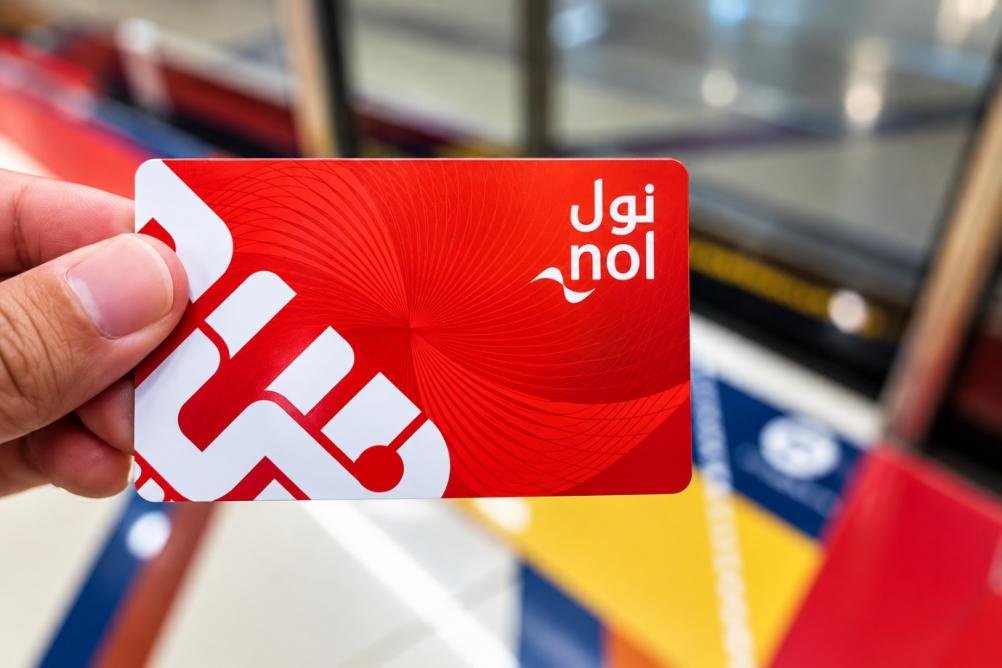
Here are the details of the Red Ticket:
| Cost | AED 2 |
| Usage | Up to 5 daily passes or 10 single trips |
| Validity | 10 trips or 90 days |
| Useful For | Tourists, short stays, and infrequent travel |
2. Silver Nol Card
Use the Silver Nol card if you plan to ride the Dubai Metro, buses or tram many times during your trip.
It is one of the most used cards in Dubai, known for low fares across all transport modes and RTA services.
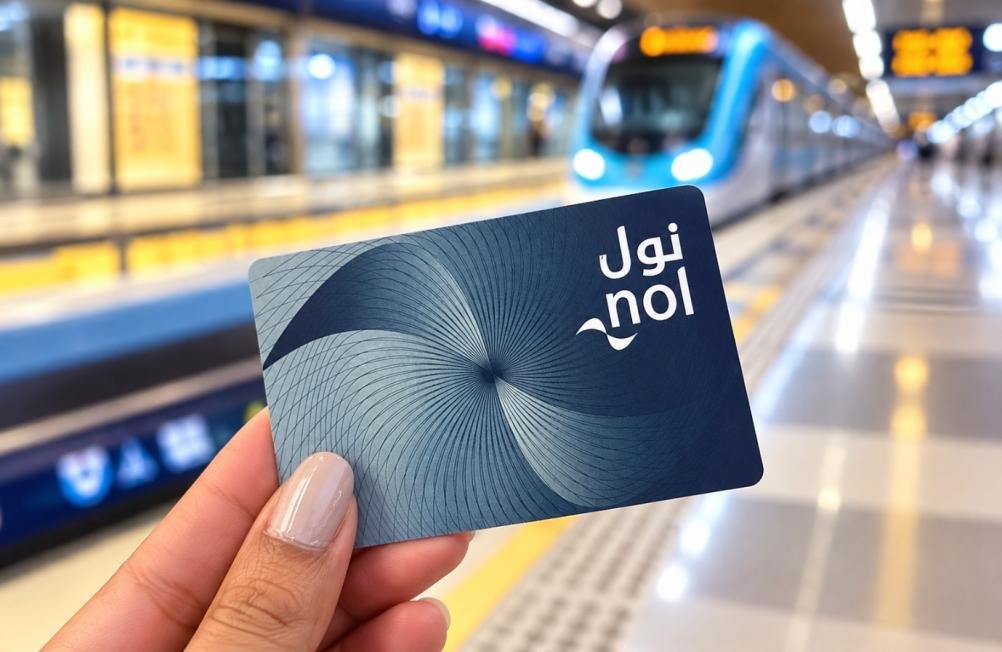
Here are the details of the Silver Nol card:
| Cost | AED 25 (includes AED 19 balance) |
| Maximum Balance | Up to AED 5,000 (registered) or AED 1,000 (unregistered) |
| Validity | 5 years |
| Useful For | Daily commuters using Metro, buses, trams, and parking |
3. Gold Nol Card
The Gold Nol card suits visitors and residents who want the Gold Class cabins on the Dubai Metro and tram, with premium seating and more comfort. Its fares are double the regular (Silver) fares, as shown on the RTA Nol Fares page.

Here are the details of the Gold Nol card:
| Cost | AED 25 (includes AED 19 balance) |
| Maximum Balance | Up to AED 5,000 (registered) or AED 1,000 (unregistered) |
| Validity | 5 years |
| Special Feature | Access to Gold Class Metro & Tram cabins (premium seating, double fare) |
| Best For | Travellers who prefer comfort and privacy |
4. Blue Nol Card
The Blue Nol card is a personalised card that is linked to your Emirates ID and offers travel pass options, balance protection, and online recharge.

Here are the details of the Blue Nol card:
| Cost | AED 70 (includes AED 20 balance) |
| Maximum Balance | AED 5,000 |
| Validity | 5 years |
| Special Feature | Linked to Emirates ID, balance protected if lost or stolen, 50% off for students and seniors, free travel for people of determination |
| Useful For | Residents and long-term users |
Note:
- Make sure your Nol card has enough balance before you travel by Dubai Metro, bus or tram.
- You need a minimum balance of AED 7.50 to check in, as stated on the RTA About nol card page. A Red Ticket needs at least one single trip loaded.
- You can recharge or top up your Nol card via the official RTA website, metro station ticket machines, Nol Pay app, customer service counters, and authorised retail outlets.
- Always tap your card on the reader when you get on and again when you get off the bus, Metro or tram. The fare is worked out from the zones you travel.
How to Check Your Nol Card Balance (5 Easy Ways)
Not sure how to check your Nol card balance? Use any of the five ways below. Keep the Nol Tag ID printed on your card ready for online checks.
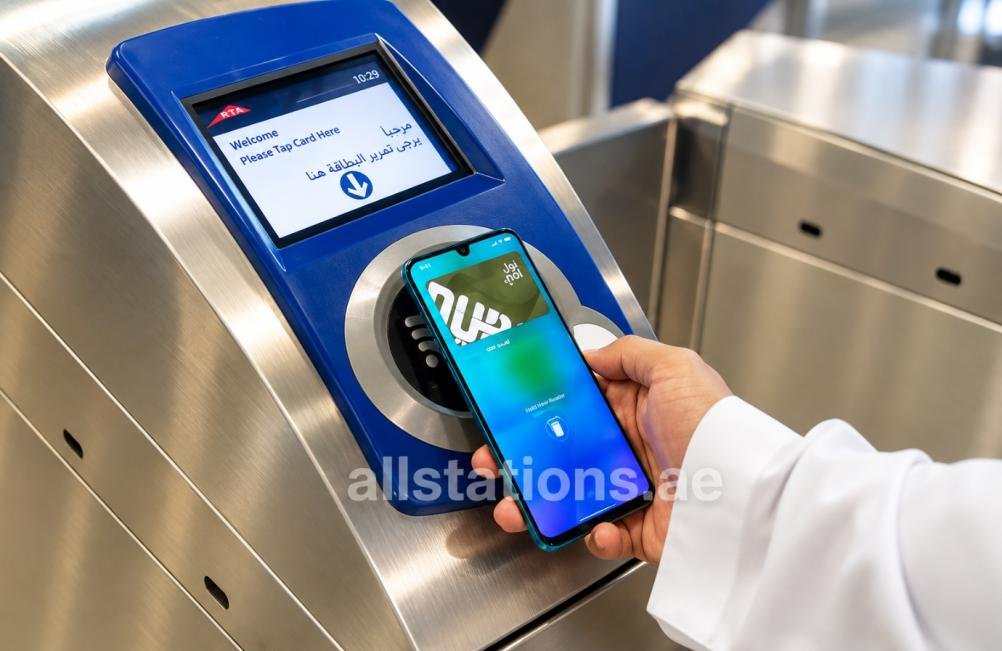
Here are the best ways to check your Nol card balance:
| Need | Best Option |
| Check Balance Online | RTA website, RTA Public Transport app or Nol Pay app |
| Check Balance at Station | Metro ticket machine or customer service counter |
| Find card number | Nol Tag ID printed on your card |
| Recharge before travel | Nol Pay app, RTA website, vending machine, or retailer |
| Fix pending recharge | Tap/activate at a supported RTA machine or gate |
1. Check Nol Balance on the Official RTA Website
The RTA website is the easiest way to check your Nol card balance online, and it needs only your Nol Tag ID.
Follow these steps to check your balance online before travelling.
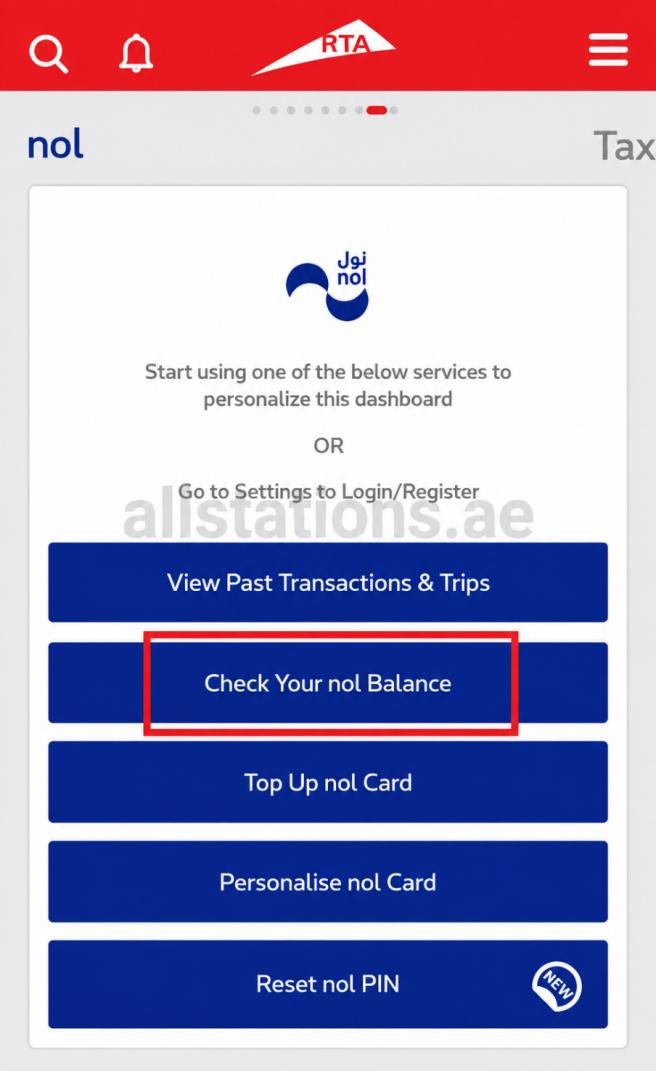
Step 1: Visit the RTA’s official website, click Public Transport, then click the “Check nol Balance” tile.
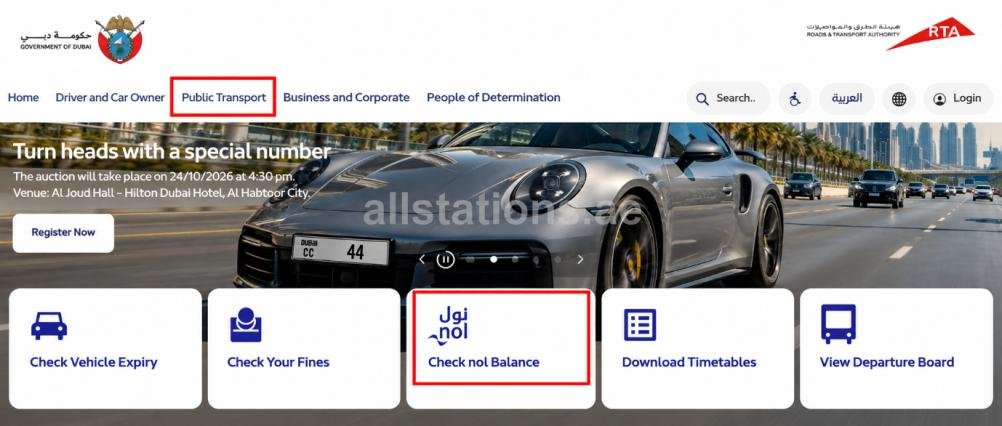
Step 2: Enter the Nol Tag ID printed on your card.

Step 3: Click Search. Your current balance, pending amount and total balance appear on the screen.
2. Check Nol Card Balance Using the RTA Public Transport App
Follow these steps to check your Nol card balance in the RTA Public Transport app:
Step 1: Download and install the RTA Public Transport app via the App Store (iPhone) or Google Play (Android).
Step 2: Open the app and tap “Continue as Guest”.

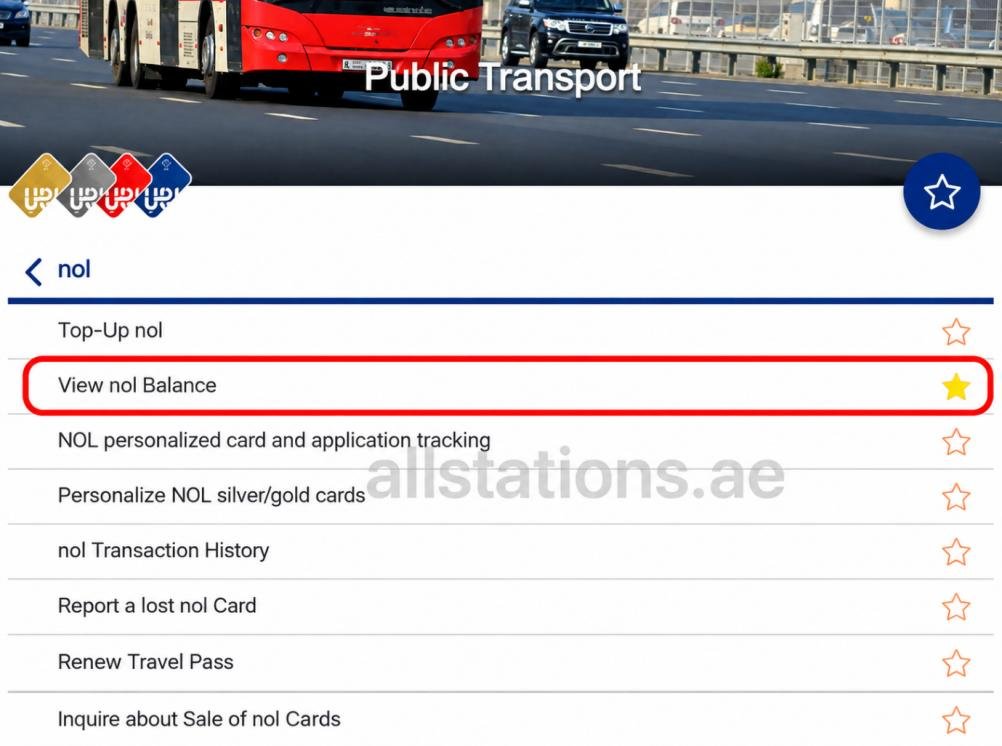
Step 3: Select the “nol” option.

Step 4: Under the Nol section, tap “View nol Balance”.
Step 5: Enter your Nol Tag ID.

Step 6: Your Nol card balance shows on the next page.

3. Check Balance Using the Nol Pay App
Another easy way to check your Nol card balance online is to use the Nol Pay app, which is an official RTA app for managing Nol cards.
The app helps you check card details, top up cards using NFC-supported phones, register anonymous cards, renew your personal Nol cards, add travel passes, and report lost or damaged registered cards.
Follow the steps below to check and manage your Nol card from your phone:
Step 1: Install the official Nol Pay app on your device.
Step 2: Log in to the app and follow the on-screen steps.
Step 3: Add or scan your Nol card.
Step 4: Your card details and available balance appear on the screen.
4. Check Nol Balance at Metro Station Machines
Standing in a Dubai Metro station, like Union Metro Station? Follow these steps:
Step 1: Find the Metro’s ticket vending machine or self-service machine.
Step 2: Place your Nol card on the card reader as shown on the screen.
Step 3: Your current Nol card balance appears on the screen, with top-up options.
5. Check Balance at Authorised Retailers or Service Counters
Can’t check your balance yourself, or need to recharge? Ask for help at ticket offices, customer service counters, and authorised Nol retailers.
Step 1: Go to a ticket office or customer service counter at a Dubai Metro station.
Step 2: Hand your Nol card to the staff and ask for a balance check.
Step 3: Top up there if you need more credit. Staff can also help with a pending recharge or a damaged card.
Common Nol Balance Problems and Easy Fixes
Your balance looks wrong, or the gate won’t open? Try these quick fixes!
- Online top-up not showing: An online top-up first shows as a pending amount. Tap your card at a Metro gate or a parking meter to add it to your balance.
- Gate shows low balance: Top up at the ticket machine next to the gates. You need at least AED 7.50 to check in.
- Card not reading: Hold the card flat on the reader for a second or two. If it still fails, take it to a ticket office.
- Tag ID not accepted online: Check the number on your card again, digit by digit. Enter it with no spaces.
- Forgot to tap out: Ask staff at a ticket office or call RTA on 800 9090 to check the fare taken.
- Damaged card: Visit a ticket office. Blue and registered cards can be replaced with the balance protected.
Why Keep Your Nol Card Balance Updated?
A Nol card is a must for travel by metro, bus or tram in Dubai. With one card, you don’t need to buy a separate ticket for every trip.
Keeping enough balance on your card helps you:
- Avoid delays at Dubai Metro or bus stations.
- Enter buses and trams more smoothly.
- Skip queues at ticket machines.
- Avoid a failed tap at the Metro gate.
- Avoid an AED 200 fine for travelling without paying the fare.
Frequently Asked Questions (FAQs)
Here are common questions about checking your Nol card balance:
Q1: How can I check my Nol card balance online?
Ans: You can check your Nol card balance online through the RTA website, the RTA Public Transport app or the Nol Pay app.
Q2: Where can I find my Nol Tag ID?
Ans: The Nol Tag ID is the number printed on your card.
Q3: What is the minimum Nol card balance?
Ans: You need at least AED 7.50 to check in. The fare you pay depends on your zones, card type and travel class.
Q4: What number do I need to check my Nol card balance?
Ans: You need the Nol Tag ID printed on your card.
Q5: How can I check my Nol card expiry date?
Ans: Silver, Gold and Blue Nol cards are valid for 5 years, and a Red Ticket for 90 days. Check your card’s expiry date in the Nol Pay app or with RTA customer service.
Q6: Can I recharge my Nol card online?
Ans: Yes. You can recharge online through the RTA website or the Nol Pay app. Metro station machines also accept top-ups.
Q7: Where can I buy a Nol card in Dubai?
Ans: You can purchase Nol cards at Dubai Metro stations, RTA customer service points, authorised sales outlets, and ticket vending machines.
Q8: What should I do if my Nol card is lost or stolen?
Ans: Lost your Nol card? Call RTA on 800 9090 right away. Only Blue (personal) cards and registered Silver or Gold cards can be blocked and have their balance protected.
Q9: How much is a Nol card in Dubai?
Ans: A standard Silver or Gold Nol card costs AED 25, which includes an AED 19 balance. A Blue (Personalised) Nol card costs AED 70 with AED 20 credit, whereas a Red Ticket costs AED 2.
Q10: Which Nol card is best for tourists?
Ans: The Red Ticket suits short visits, with up to 10 single trips or 5 daily passes, valid for 90 days. Taking many trips? A Silver card is often better value, because its fares are lower.
Q11: What is the difference between Silver and Gold Nol cards?
Ans: Both Silver and Gold Nol cards work across Dubai Metro, buses, trams and parking. The main difference is that the Gold card gives you access to Gold Class cabins. Both cards cost AED 25, but Gold Class fares are double the Silver fares.
Q12: Can I use my Nol card on my phone?
Ans: Yes. You can add a digital Silver or Gold Nol card to Samsung Wallet or a Huawei phone and manage it in the Nol Pay app. Apple Wallet does not support digital Nol cards.
Conclusion
A Nol card is a must-have for residents, students, tourists and visitors who explore Dubai by metro, bus or tram. Each type of Nol card has its own benefits, so pick the one that suits you.
Keep enough balance on your card for smooth travel. Use the RTA website, the RTA Public Transport app or the Nol Pay app to check your balance online.
Need more help? Read our Dubai metro station guides and UAE bus station guides on Allstations.ae.